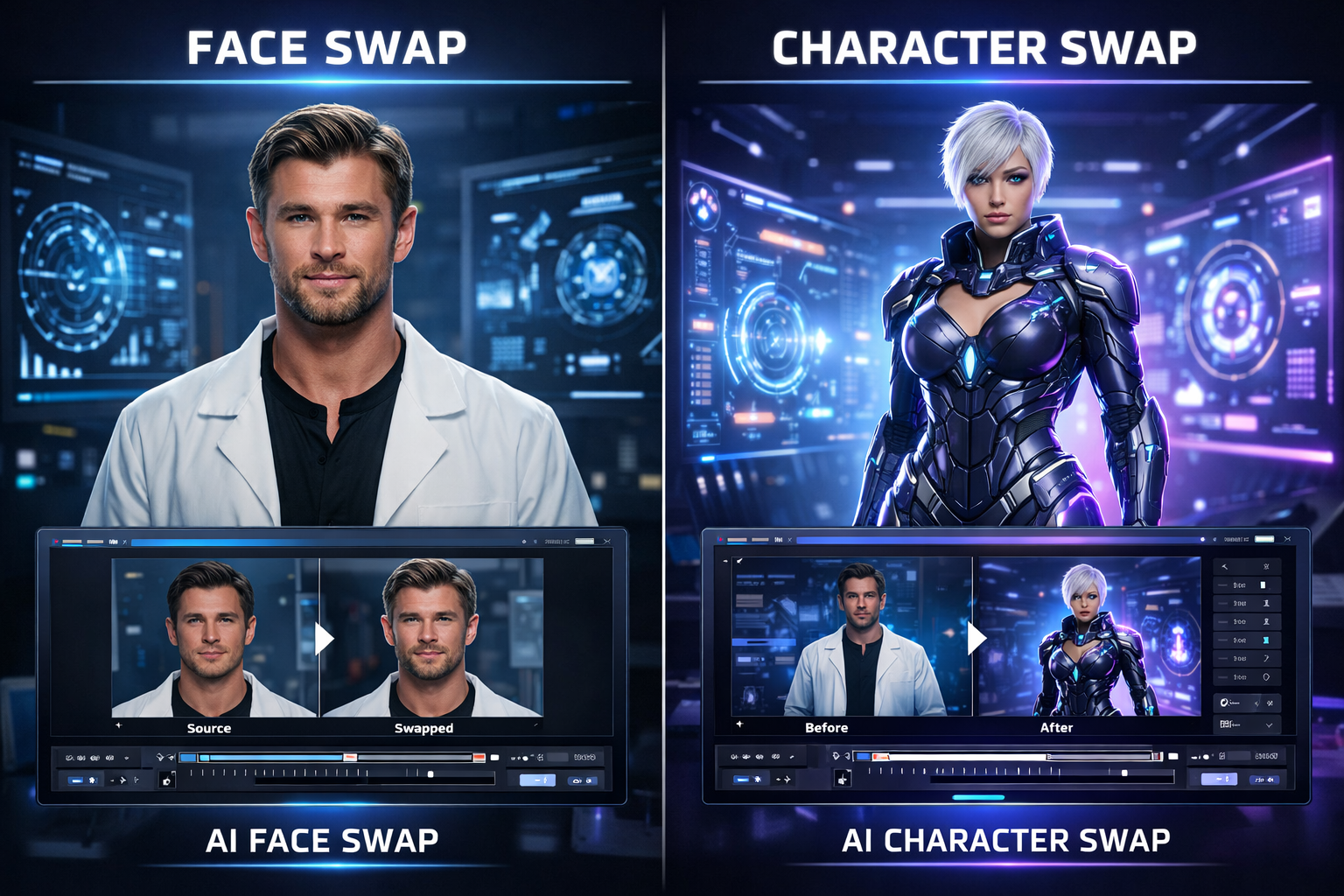
If you work with AI video tools, one question comes up again and again: should you use face swap or character swap? The two features sound similar, but they solve different creative problems. A face swap mainly changes the face region in a video while preserving the original body and scene. A character swap goes further by replacing the full on-screen person - face, outfit, and overall character appearance - while keeping the original motion, timing, expressions, and camera work.
## **1.What Is Face Swap?**
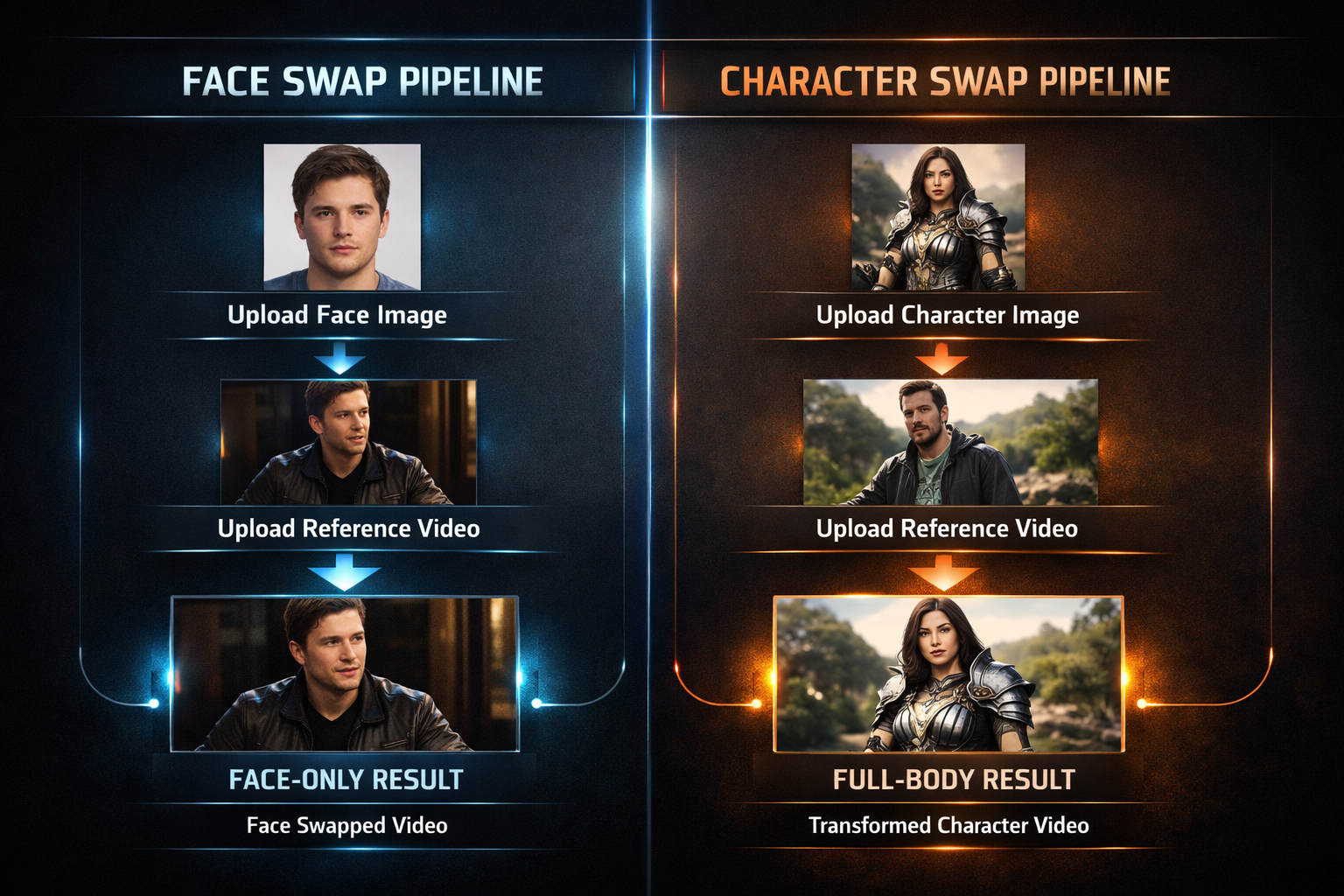
VideoSwap's face swap page describes the tool as replacing the face in a video with the face from your uploaded image while keeping the original performance and motion. The workflow is intentionally simple: upload one face image, upload one reference video, and generate the result online. The page recommends a sharp, front-facing image with even lighting and says the best results come from clips where the subject's face is large and visible. This matches the broader public guidance around face swap quality: use clear source materials, match angles and lighting when possible, and avoid heavy blur or occlusion.
In practice, face swap is best when the body, clothing, and scene already work for your goal. If all you need is to change who appears in a clip without rebuilding the rest of the shot, face swap is the quicker, lighter option. That is why it works so well for Reels, TikTok, Shorts, social memes, creator avatar content, and fast A/B testing for marketing assets.
## **2.What Is Character Swap?**
VideoSwap's character swap page positions the feature as more than face replacement. It replaces the entire character appearance while preserving the original video's motion rhythm, expression details, and camera quality. The FAQ makes the distinction even clearer: face swap mainly changes the face region, while character swap replaces the whole character - face, outfit, and full-body look - and keeps the original performance. Public articles about character replacement often describe this as a move from simple swapping to full recasting, because the result is meant to feel as if the new character belonged in the shot from the start.
That makes character swap a stronger fit when you need a more immersive result. It can be used for branded mascots, stylized characters, anime or cartoon insertions, story-driven shorts, education and reenactment, or ad localization where the entire on-screen identity matters. Compared with standard face swap, it is closer to replacing the actor than changing the face.
<table class="border-collapse table-auto w-full" style="min-width: 75px;">
<colgroup><col style="min-width: 25px;"><col style="min-width: 25px;"><col style="min-width: 25px;"></colgroup><tbody><tr><td class="border border-border p-2" colspan="1" rowspan="1"><p><strong>Aspect</strong></p></td><td class="border border-border p-2" colspan="1" rowspan="1"><p><strong>Face Swap</strong></p></td><td class="border border-border p-2" colspan="1" rowspan="1"><p><strong>Character Swap</strong></p></td></tr><tr><td class="border border-border p-2" colspan="1" rowspan="1"><p>What changes</p></td><td class="border border-border p-2" colspan="1" rowspan="1"><p>Mainly the face region</p></td><td class="border border-border p-2" colspan="1" rowspan="1"><p>The whole person: face, clothing, and overall body look</p></td></tr><tr><td class="border border-border p-2" colspan="1" rowspan="1"><p>Best for</p></td><td class="border border-border p-2" colspan="1" rowspan="1"><p>Memes, quick edits, creator avatars, simple replacements</p></td><td class="border border-border p-2" colspan="1" rowspan="1"><p>Recasting, stylized characters, ads, storytelling, mascots</p></td></tr><tr><td class="border border-border p-2" colspan="1" rowspan="1"><p>Input focus</p></td><td class="border border-border p-2" colspan="1" rowspan="1"><p>Clear close face photo</p></td><td class="border border-border p-2" colspan="1" rowspan="1"><p>Clear character image plus body/look consistency</p></td></tr><tr><td class="border border-border p-2" colspan="1" rowspan="1"><p>Visual result</p></td><td class="border border-border p-2" colspan="1" rowspan="1"><p>Faster and lighter</p></td><td class="border border-border p-2" colspan="1" rowspan="1"><p>More immersive and scene-native</p></td></tr></tbody>
</table>
## **3.Face Swap vs Character Swap: The Real Difference**
The easiest way to think about it is scope. Face swap changes a part of the person on screen. Character swap changes the person as a whole. That difference affects not only the final look but also the kind of source material that works best. For face swap, the uploaded image should make the face easy to recognize and map. For character swap, the character image should also support body-level consistency, including proportions, silhouette, styling, and how naturally that new character can fit into the reference motion.
## **4.Which One Should You Choose?**
- Choose Face Swap if you want fast identity changes for memes, creator edits, talking clips, or lightweight ad variations.
- Choose Face Swap if the original clothing, body language, and on-screen styling already fit your goal.
- Choose Character Swap if you need full-body recasting, stylized personas, mascots, or a stronger sense that the new person truly belongs in the scene.
- Choose Character Swap if your creative brief depends on the outfit, body shape, and overall visual identity - not just the face.
## **5.How to Get Better Results with Either Tool**
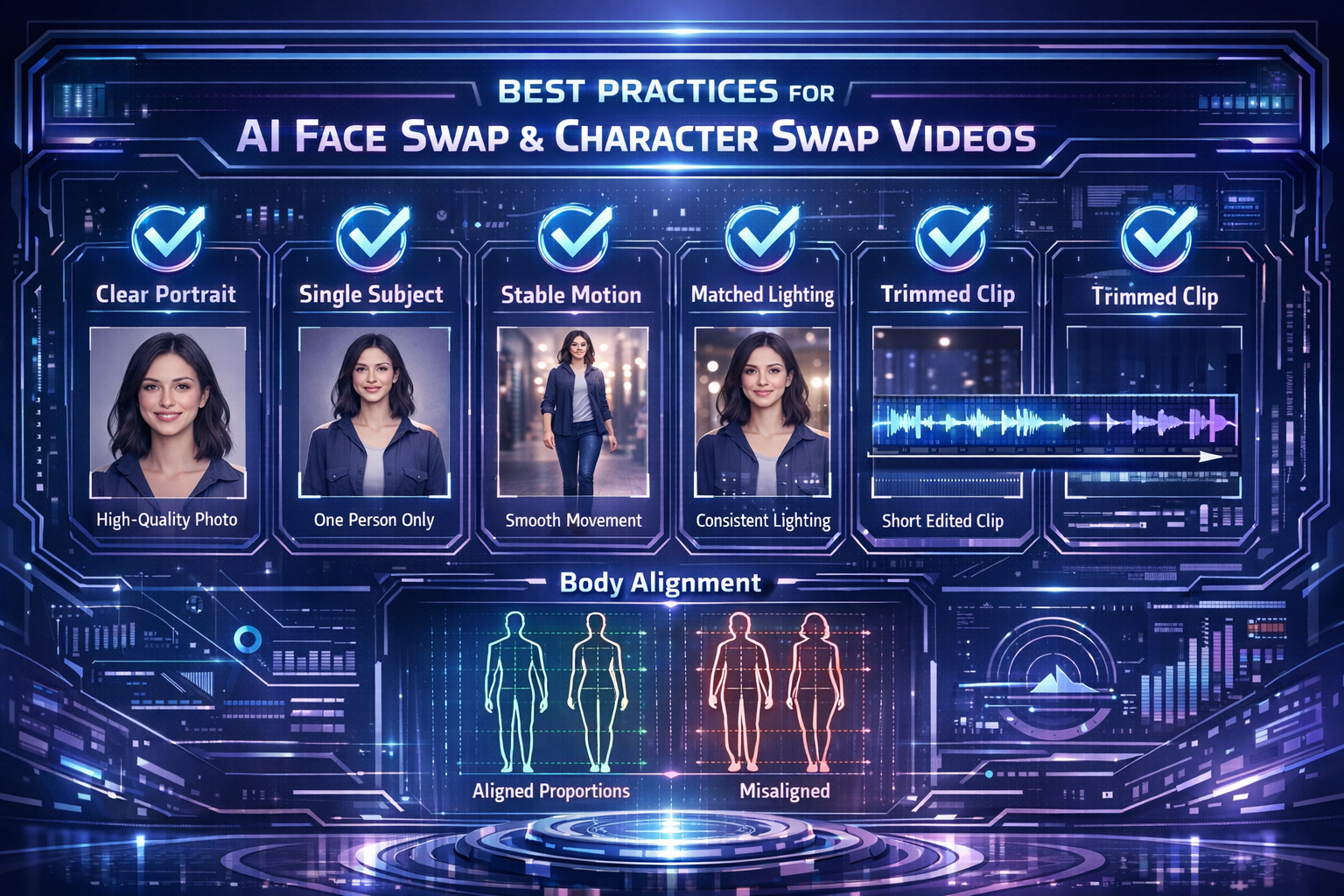
Both pages on [VideoSwap](https://www.videoswap.app/) give useful optimization guidance. For [face swap](https://www.videoswap.app/video-face-swap), use a high-quality face photo, avoid sunglasses and heavy shadows, and choose a clip where the face is large and visible. For [character swap](https://www.videoswap.app/character-swap), use a sharp image of one subject, keep the reference video clear and not too chaotic, and try to match body proportions between the character image and the original performer. Public how-to guides echo the same principles: source quality matters more than most users expect, and shorter, cleaner clips almost always produce more stable results.
- Use one clear subject in the source image.
- Avoid crowd shots, fast turns, and heavy motion blur.
- Trim to the cleanest segment before generating.
- Match lighting and proportions when possible.
Start simple, then iterate once you see the first result.
## **6.Conclusion**
Face swap and character swap are related, but they are not the same tool. Face swap is the better choice when you want to replace the face while keeping the original body and scene. Character swap is the better choice when you want a fuller transformation that changes the on-screen person at the identity level. On VideoSwap, both workflows are available, which makes the platform easy to position for two different kinds of creative intent: quick face replacement and full character recasting.
**Links:** [Video Face Swap](https://www.videoswap.app/video-face-swap) | [Character Swap](https://www.videoswap.app/character-swap)
Face Swap vs Character Swap: What's the Difference for AI Video?
March 12, 2026
Compare face swap vs character swap for AI video. Learn which tool fits memes, ads, creator content, and full-body recasting with VideoSwap's online face swap and character swap tools.
character swap
video face swap
Related Posts
Public
Mar 27, 2026
How to Replace a Person or Character in a Video with AI
Learn how to replace a character or persion in a video using a image and a reference clip. Follow simple steps, and get better character swap results.
Public
Mar 15, 2026
Character Swap vs Motion Control vs Style Transfer: Which AI Video Tool Do You Need?
Compare AI character swap, motion control, and video style transfer to find the right AI video tool for ads, creators, animation, and branded content. Learn what each tool does, when to use it, and how VideoSwap helps you create consistent, high-quality AI videos faster.