AI video style transfer works best when your prompt tells the model what should change visually without breaking the motion, timing, and continuity of the original clip. That is also the core value proposition on [VideoSwap’](https://www.videoswap.app/)s Video Style Transfer page: you can stylize a whole clip with a preset, a reference image, or a text prompt while keeping the original motion rhythm, scene details, and camera quality intact. Public prompting guides from Runway and Google’s Veo documentation reinforce the same idea from a different angle: clear prompts should reduce ambiguity and describe the subject, action, scene, and style in a direct way.
## 1.What Makes a Good AI Video Style Transfer Prompt?
A strong style-transfer prompt is not just a list of aesthetics. It should define the **visual style**, the **subject**, the **environment**, and—most importantly for video—the **motion and camera behavior** you want to preserve or emphasize. Runway’s official guides repeatedly recommend clear, direct language, with prompts focused on motion and temporal progression; Veo’s prompt guide similarly breaks strong prompts into subject, action, and scene/context. In practice, that means “anime, neon city, smooth tracking shot, soft cel shading” is more useful than simply writing “make it cool.”
## 2.A Simple Prompt Formula That Works
A practical formula for AI video style transfer is:
**\[Shot / camera\] + \[subject\] + \[action or preserved motion\] + \[environment\] + \[style descriptors\] + \[lighting / color\]**
That formula is closely aligned with Runway’s recommended structure—“\[Camera\] shot of \[subject/object\] \[action\] in \[environment\]. \[Supporting component descriptions\]”—and with Veo’s advice to be clear and specific about the subject and scene. It is also a good fit for VideoSwap because your source clip already supplies the base motion, while the prompt refines the style layer applied on top.
## 3.Best Prompts for AI Video Style Transfer
Below are prompt templates that are broad enough to reuse, but specific enough to generate more consistent results. They work especially well for tools like VideoSwap that support text prompts, reference images, and stable video-to-video stylization across a full clip. VideoSwap also highlights anime, cinematic, cartoon, and custom style use cases, so these prompt families line up naturally with your product page.
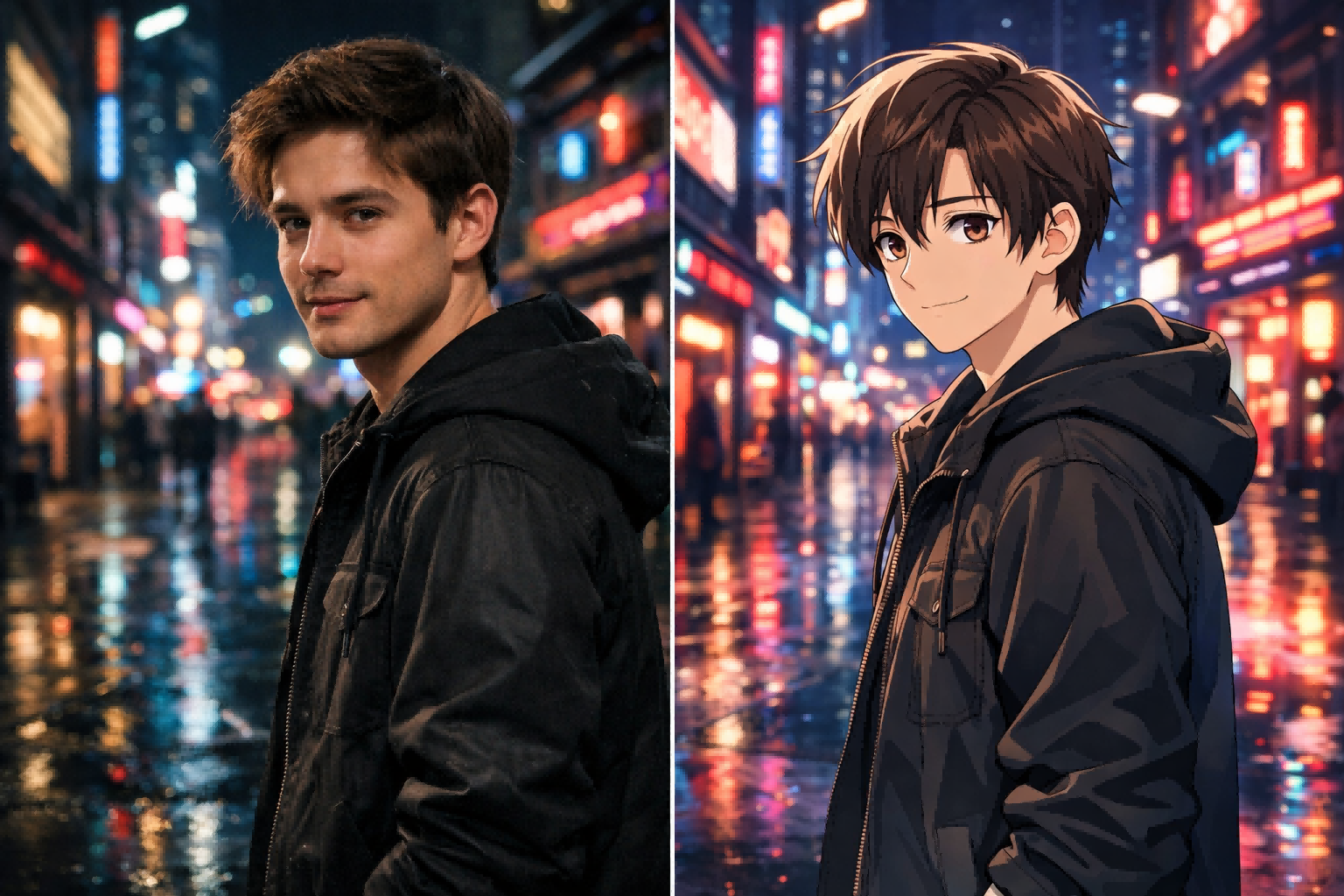
### 1) Anime Prompt
**Prompt:**\
*Medium shot of the subject moving naturally through the scene. Transform the video into polished Japanese anime style with clean line art, soft cel shading, expressive eyes, vivid but balanced colors, detailed background, smooth frame-to-frame consistency, cinematic lighting.*
This is a strong starting point because it defines framing, keeps the original movement, and describes the anime look in visual terms instead of using only one keyword.
### 2) Cinematic Film Prompt
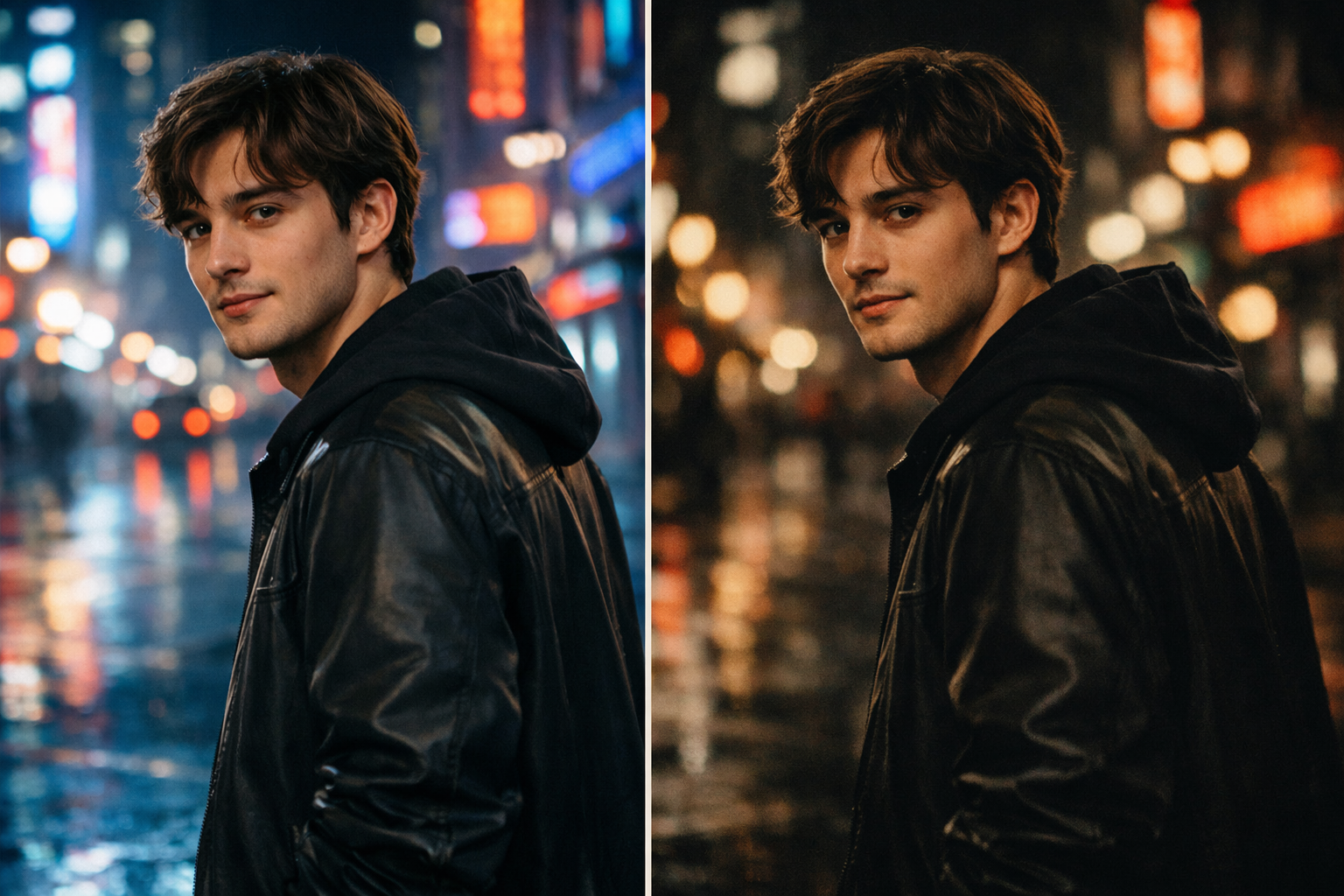
**Prompt:**\
*Preserve the original motion and timing of the subject. Apply a cinematic film look with natural skin tones, subtle film grain, controlled contrast, moody shadows, soft highlight rolloff, dramatic depth, and realistic color grading.*
This works well for UGC, ads, reels, and brand storytelling, especially when the goal is to upgrade the footage rather than fully stylize it.
### 3) 3D Animated Prompt
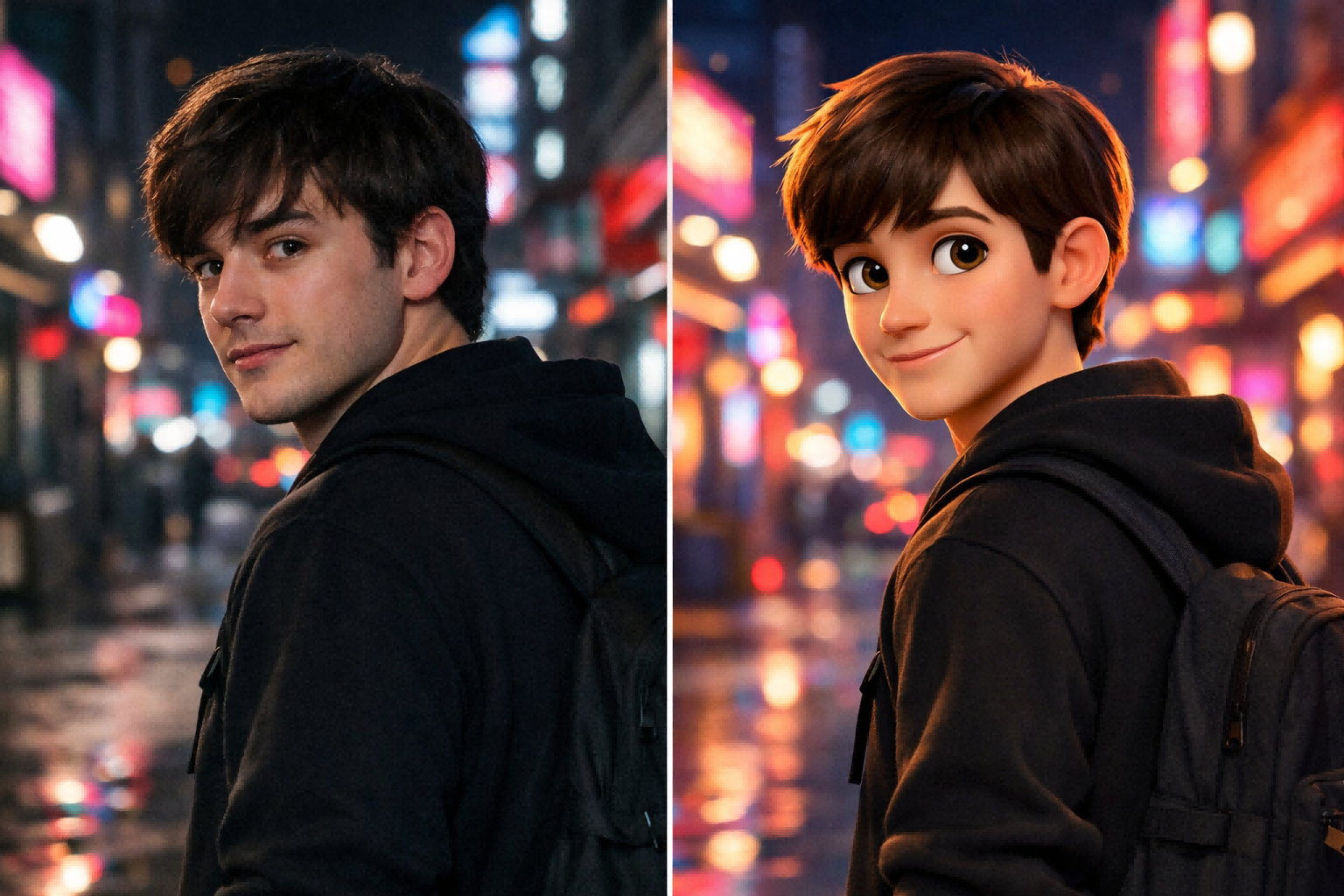
**Prompt:**\
*Transform the clip into high-end 3D animated style with soft surfaces, polished textures, expressive facial features, clean lighting, stylized proportions, family-film aesthetics, and smooth motion continuity.*
This is useful when you want a Pixar-like or CG-inspired feel without making the output look overly plastic or chaotic.
### 4) Cyberpunk Prompt
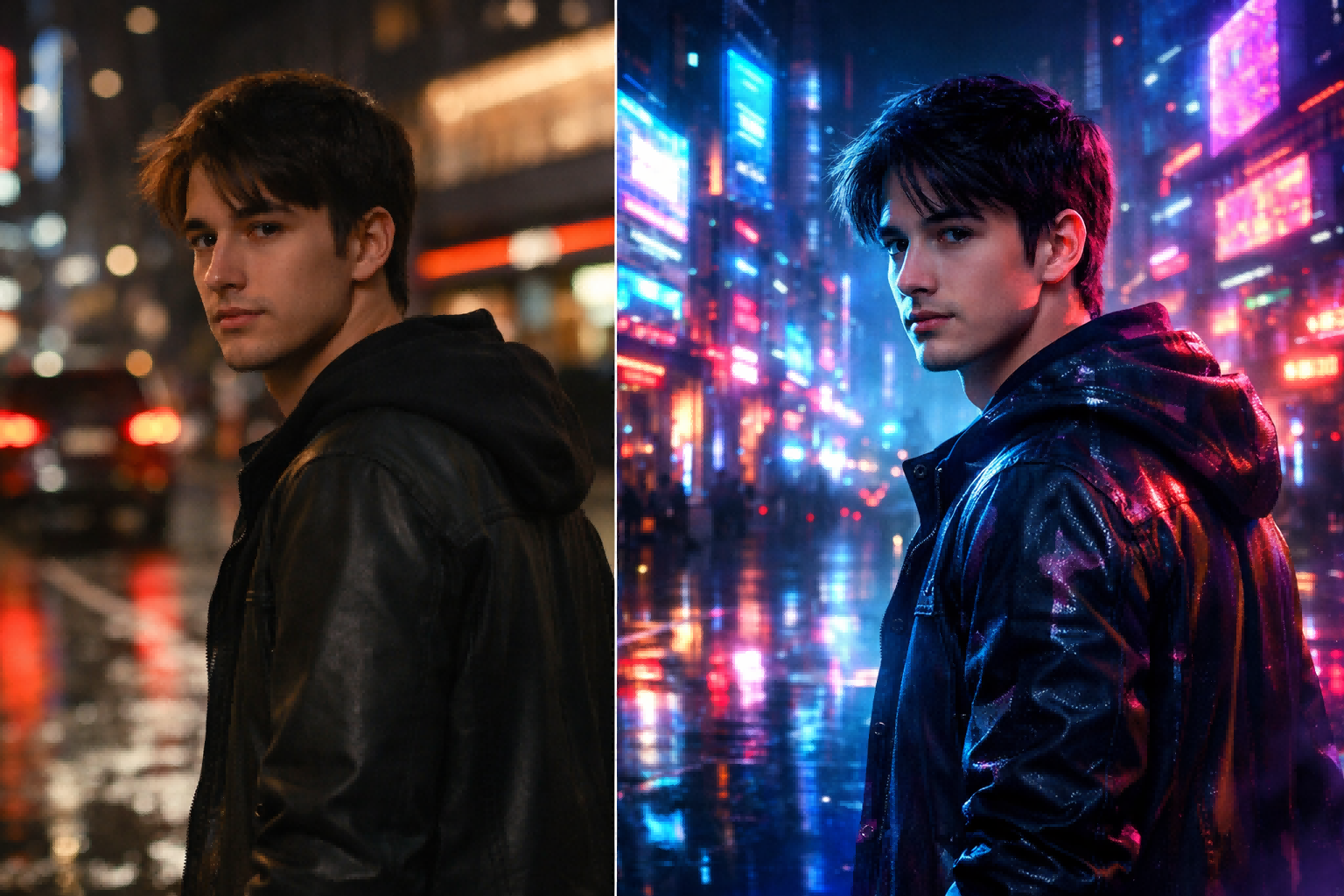
**Prompt:**\
*Keep the subject’s original movement and camera rhythm. Restyle the scene into futuristic cyberpunk anime with neon reflections, holographic signage, electric blue and magenta lighting, atmospheric fog, glossy wet surfaces, sharp anime outlines, and cinematic city depth.*
This type of prompt tends to perform well for social clips because it combines a recognizable genre with vivid lighting cues.
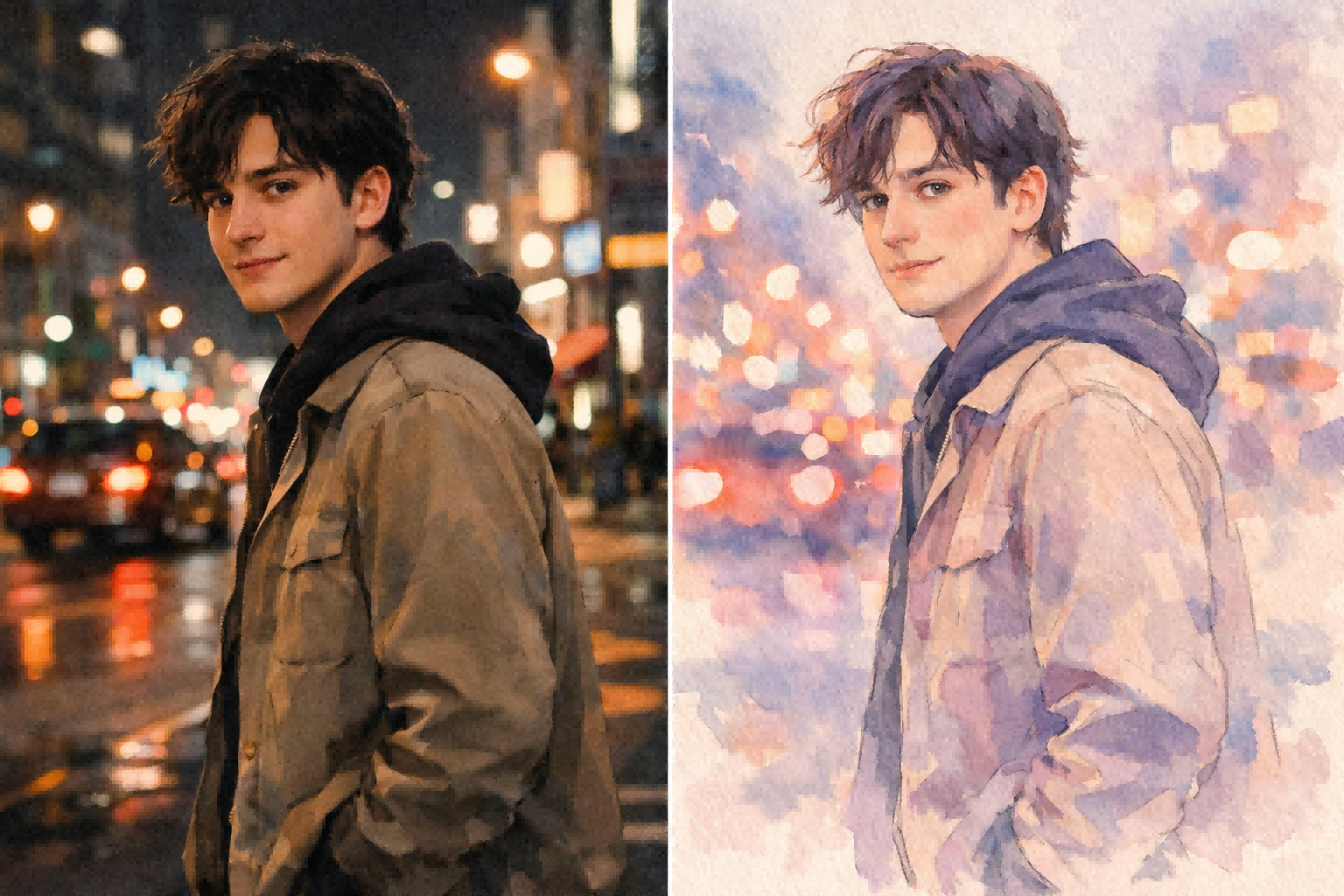
### 5) Watercolor / Illustration Prompt
**Prompt:**\
*Restyle the video into elegant watercolor illustration with soft brush textures, painterly edges, pastel tones, gentle contrast, dreamy lighting, and visually stable transitions across the clip.*
This is a good option when the goal is softness and mood rather than bold detail.
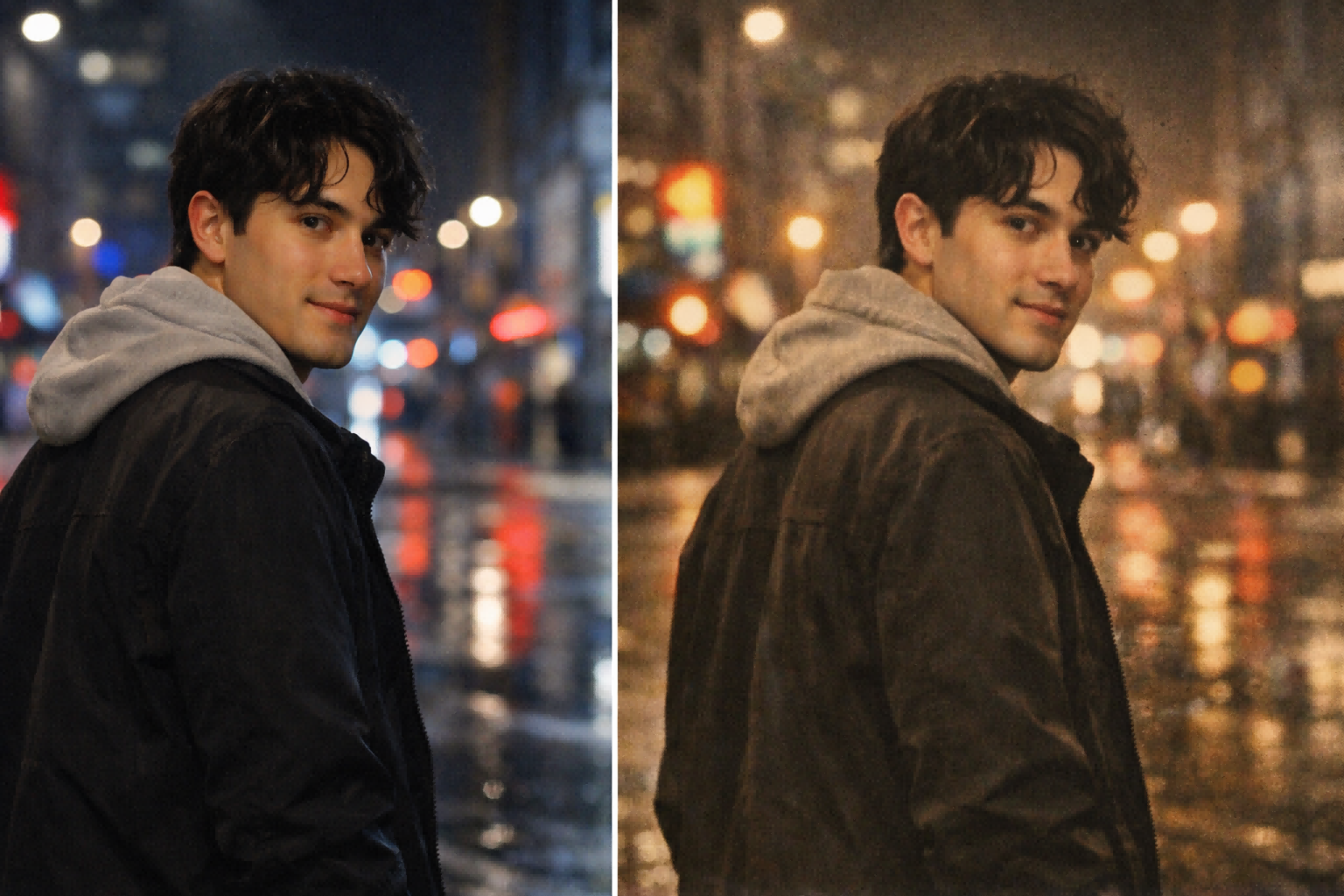
### 6) Vintage Analog Prompt
**Prompt:**\
*Apply a vintage analog film aesthetic with muted colors, light grain, slight halation, nostalgic warmth, soft contrast, natural motion, and documentary-style realism.*
This kind of prompt is effective when you want a nostalgic mood without changing the subject too dramatically.
## 4.How to Get Better Results in VideoSwap
If you want better prompt results, the source clip matters almost as much as the prompt itself. VideoSwap recommends videos with clear subjects, good lighting, stable camera work, moderate motion, 5–10 second duration, and HD resolution or higher. That advice matches other official prompt guidance surprisingly well: Runway recommends high-quality inputs and simple prompts for iteration, while Luma’s modify workflow also emphasizes short source videos and reference-driven transformation. In other words, the best prompt will still struggle if the source video is shaky, blurry, or overloaded with motion.
VideoSwap also gives you three useful ways to control the result: start with a **preset** for speed, upload a **reference image** for tighter art direction, or use a **text prompt** for flexible style control. That mirrors broader industry practice: Google’s Veo docs explicitly support style images to direct artistic style, and VideoSwap’s own interface makes the same workflow accessible on a simpler creator-facing page. If you already know the exact look you want, combining a reference image with a concise text prompt is usually stronger than relying on adjectives alone.
## 5.Common Prompt Mistakes to Avoid
The most common mistake is writing prompts that are either too vague or too overloaded. Runway recommends starting simple, then adding one element at a time—subject motion, camera motion, scene motion, then style descriptors—so you can see which change actually improved the output. It also recommends positive phrasing and warns against overcomplicating the first prompt. Veo’s current best-practices documentation makes the same point from another angle: clear and specific prompts produce better output than ambiguous language.
A second mistake is describing only the art style and forgetting motion. For video style transfer, motion is the anchor. Runway’s image-to-video guidance is explicit here: when the image or source defines composition and style, the prompt should focus on what happens over time—motion, camera work, and temporal progression. That is especially relevant for VideoSwap because the product is built around keeping the original motion and timing intact rather than generating an unrelated new shot.
Link: [Try These Prompts on VideoSwap](https://www.videoswap.app/video-style-transfer)
Best Prompts for AI Video Style Transfer
March 14, 2026
Discover the best prompts for AI video style transfer. Learn how to write anime, cinematic, and cartoon prompts in VideoSwap for smooth, consistent video results.

video style transfer
Related Posts
Public
Mar 13, 2026
AI Video Style Transfer Guide: How to Stylize Footage with Video-to-Video AI
Learn AI video style transfer with Video Swap. Turn clips into anime, cinematic, or custom looks while preserving motion, timing, and detail.

Public
Mar 15, 2026
Character Swap vs Motion Control vs Style Transfer: Which AI Video Tool Do You Need?
Compare AI character swap, motion control, and video style transfer to find the right AI video tool for ads, creators, animation, and branded content. Learn what each tool does, when to use it, and how VideoSwap helps you create consistent, high-quality AI videos faster.
Public
Mar 14, 2026
How to Turn a Real Video into Anime with AI
Learn how to turn a real video into anime with AI using video style transfer. Discover prompts, workflow tips, and VideoSwap for smooth, consistent results.