AI video face swap tools are better than ever, but viewers still notice when a result feels off. Most fake-looking results do not come from one dramatic error. They come from small problems that stack up: a soft source photo, mismatched lighting, a profile angle, heavy motion blur, or a clip that is simply too long for stable tracking. The good news is that a more realistic video face swap usually starts with better inputs, not a more complicated workflow.
If your result looks pasted on, stretched, or slightly uncanny, these are the first things to check. Below are 10 common mistakes and simple fixes that help you swap faces in video online with a cleaner, more believable result.
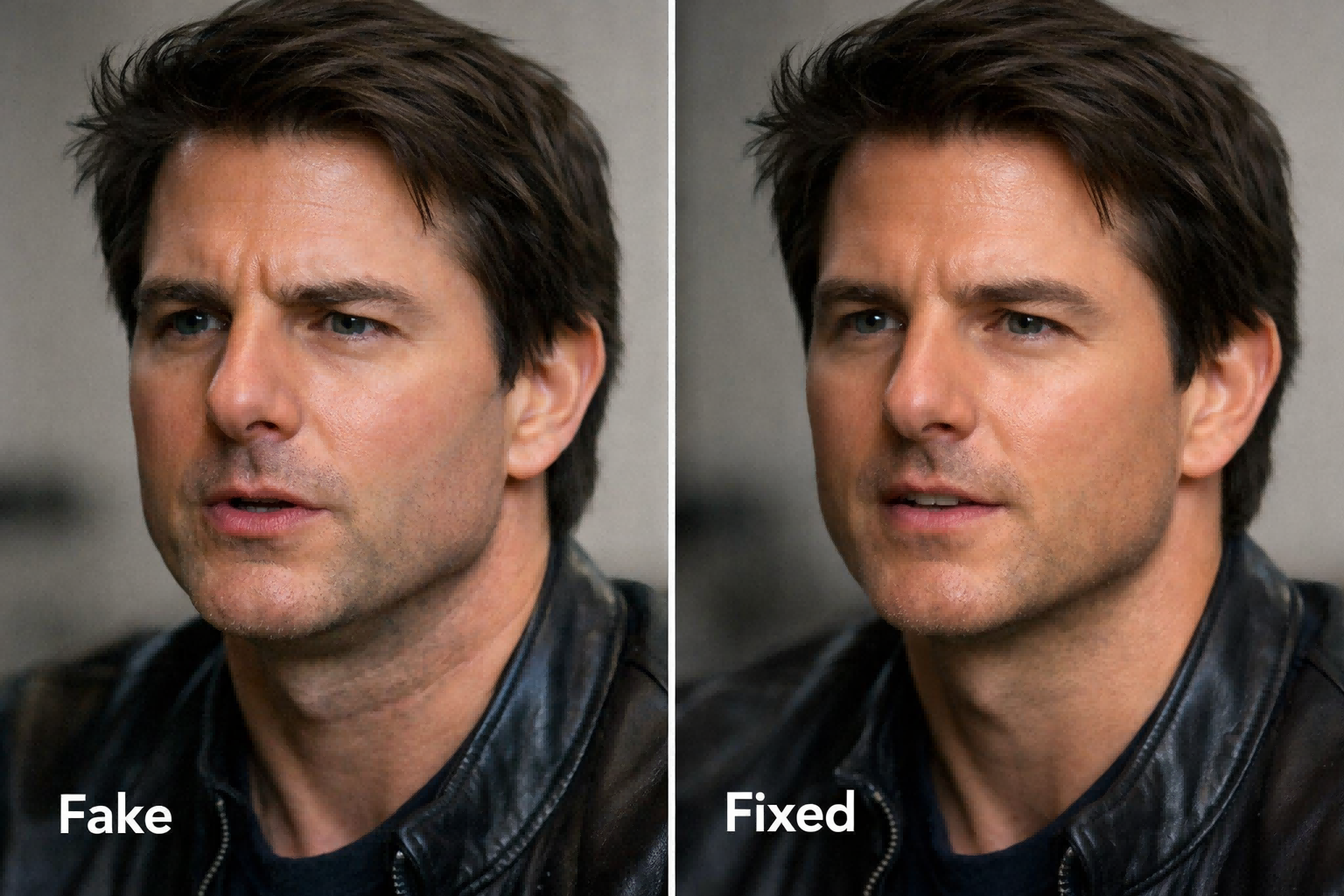
## **1. Your face photo is low quality.**
Fix: Upload a sharp, front-facing image with even lighting and only one person in frame. When the tool can clearly read the eyes, nose, mouth, and jawline, blending looks much more natural.
## **2. The lighting does not match the video.**
Fix: Choose a source face with similar brightness, color temperature, and shadow direction. If the target clip is warm or side-lit, a cool flat selfie will instantly look fake.
## **3. The subject turns too far sideways.**
Fix: Start with clips where the face is front-facing or only slightly angled. Extreme profiles give the model less facial data and often create stretched features or warped edges.
## **4. Hair, hands, glasses, or objects cover the face.**
Fix: Use frames where key landmarks stay visible. Occlusion forces the model to guess missing details, which is when sticker effects and edge glitches appear.
## **5. There is too much motion blur or camera shake.**
Fix: Trim out fast turns, shaky handheld moments, and smeared frames. Clear anchor points make tracking steadier across the whole clip.
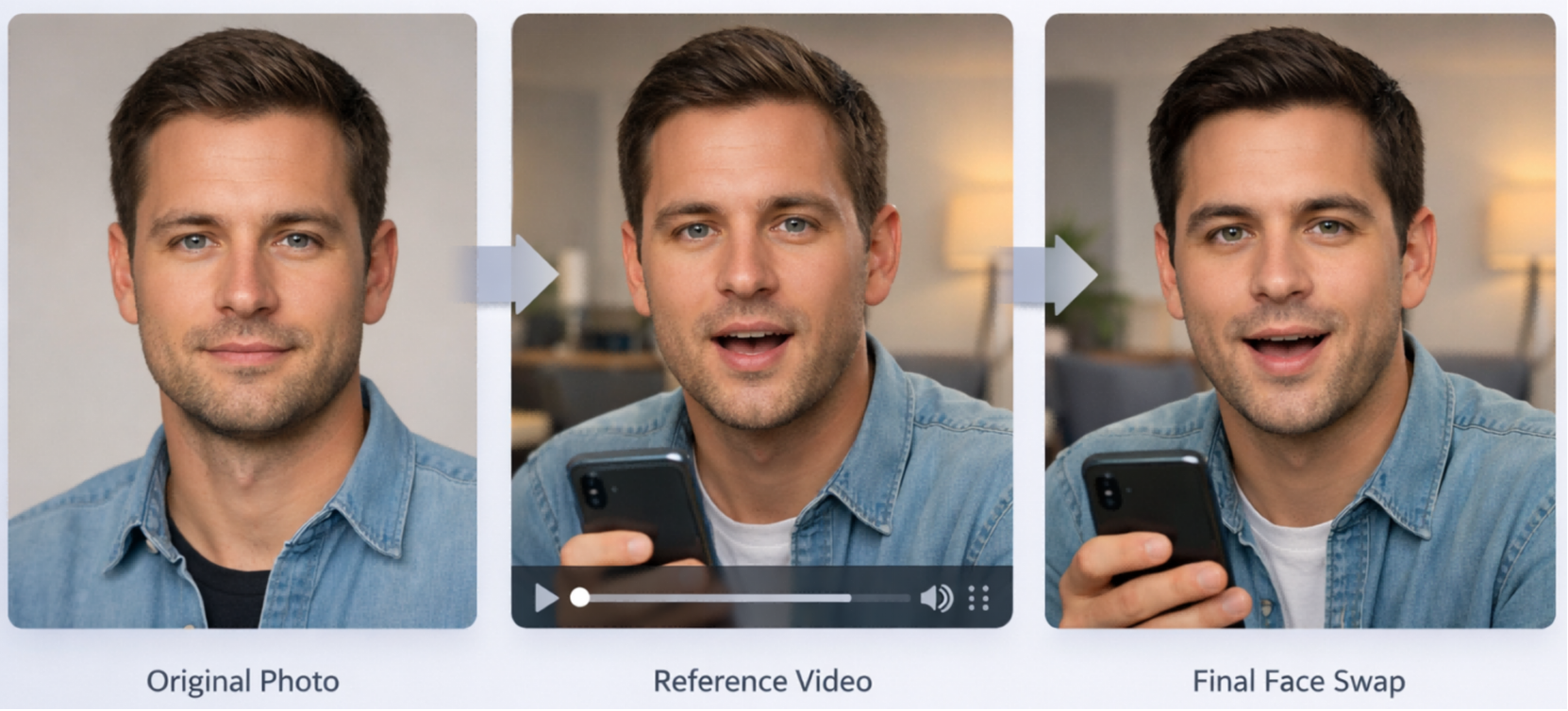
## **6. The expression does not fit the target shot.**
Fix: A calm face photo dropped into a laughing or shouting clip can feel wrong. Match the overall energy of the target clip, especially around the mouth, brows, and cheeks.
## **7. Lip movement is hard to read.**
Fix: Use clips where the face is large enough and the mouth is visible. If speech is fast or the jaw is partially hidden, the result can look disconnected from the performance.
## **8. Skin tone and edge blending feel pasted on.**
Fix: Correct brightness and contrast before generation, and avoid overfiltered selfies. The closer the source image is to the target shot, the less obvious the seam around the jawline and cheeks.
## **9. You are testing on a clip that is too long.**
Fix: Generate a short section first. A 3 to 10 second segment helps you catch problems early, improve the source image, and avoid wasting credits on unstable long clips.
## **10. Your workflow is too slow to iterate.**
Fix: Use a tool that lets you upload one clear face image and one reference video, trim the segment online, and test again quickly. Faster iteration is often the easiest path to a realistic face swap.
For creators who want a simple way to improve results, [<u>Video Swap's video face swap page</u>](https://www.videoswap.app/video-face-swap) matches this workflow well: upload a clear face image, add a reference video, trim the clip online, and generate in minutes. That makes it easier to test short segments first, reduce the sticker effect, and scale up once the result looks natural. In other words, the fastest way to fix a fake-looking video face swap is usually to clean up the input, shorten the clip, and iterate with a workflow that removes friction.
Link: [video face swap tool](https://www.videoswap.app/video-face-swap)
Why Your Video Face Swap Looks Fake: 10 Common Mistakes and Fixes
March 13, 2026
Why does your video face swap look fake? Learn 10 common mistakes and fixes for more realistic AI video face swap results online with Video Swap.
video face swap
Related Posts
Public
Mar 12, 2026
How to Swap Faces in a Video Online: A Step-by-Step Guide
Learn how to swap faces in a video online with VideoSwap. This step-by-step guide covers the best face photos, source clips, realism tips, common mistakes.
Public
Mar 15, 2026
Best AI Video Face Swap Tools in 2026: Hands-On Comparison
Compare the best AI video face swap tools in 2026, including VideoSwap, Magic Hour, AKOOL, FaceFusion, and PixelFox. Learn which tool is best for creators, marketers, agencies, and privacy-first users.
Public
Mar 12, 2026
Face Swap vs Character Swap: What's the Difference for AI Video?
Compare face swap vs character swap for AI video. Learn which tool fits memes, ads, creator content, and full-body recasting with VideoSwap's online face swap and character swap tools.